SEO Queue Marketplace | Bid on Scoped SEO Tasks from TAPNET Clients

SEO Service Provider Marketplace

Bid On Clear SEO Work

Review the page, keyword, assets, and requirements before you bid.

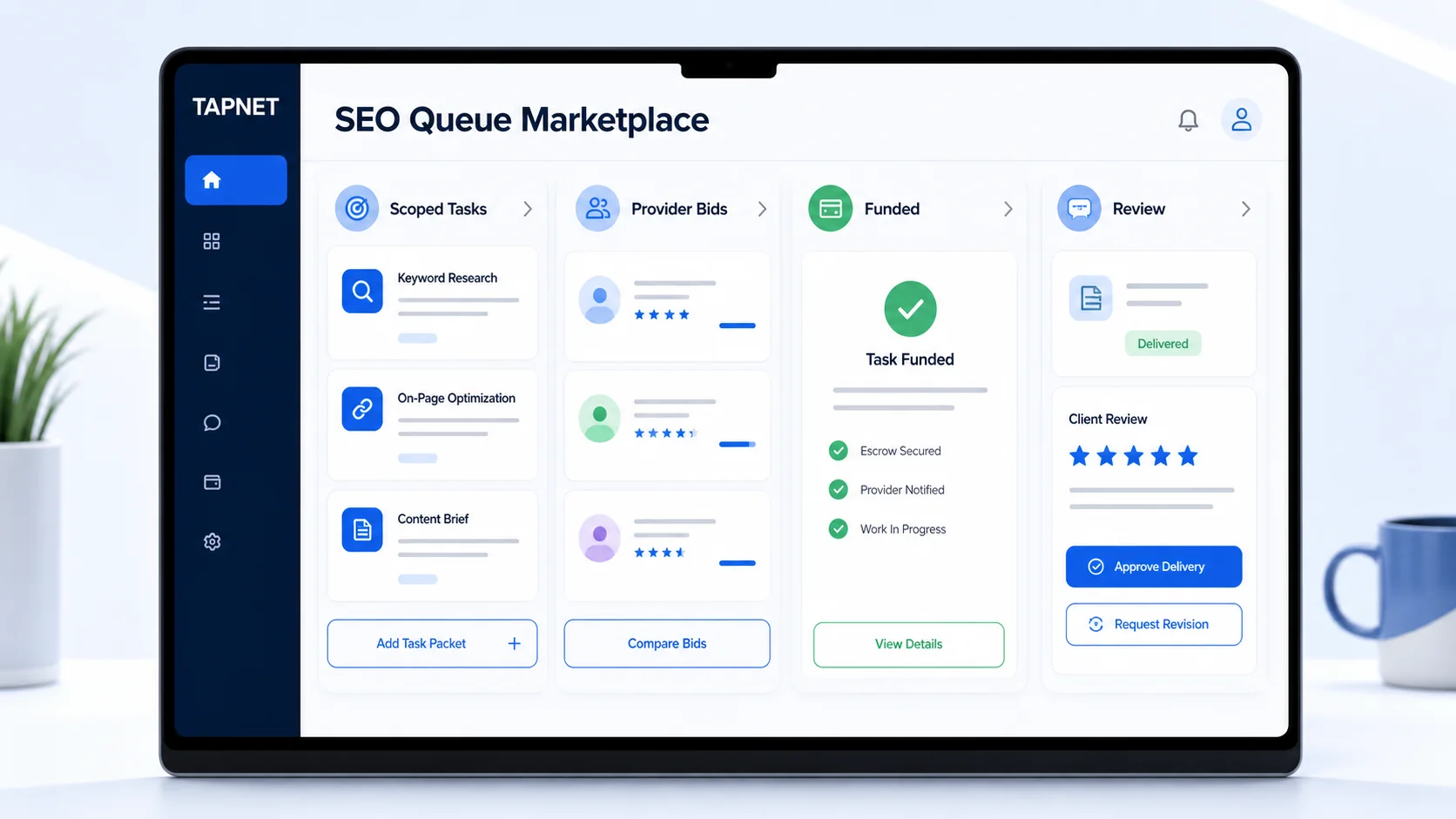
SEO Queue Marketplace dashboard showing scoped tasks, provider bids, funded work, and client review panels.

Why Providers Need Clear Scope
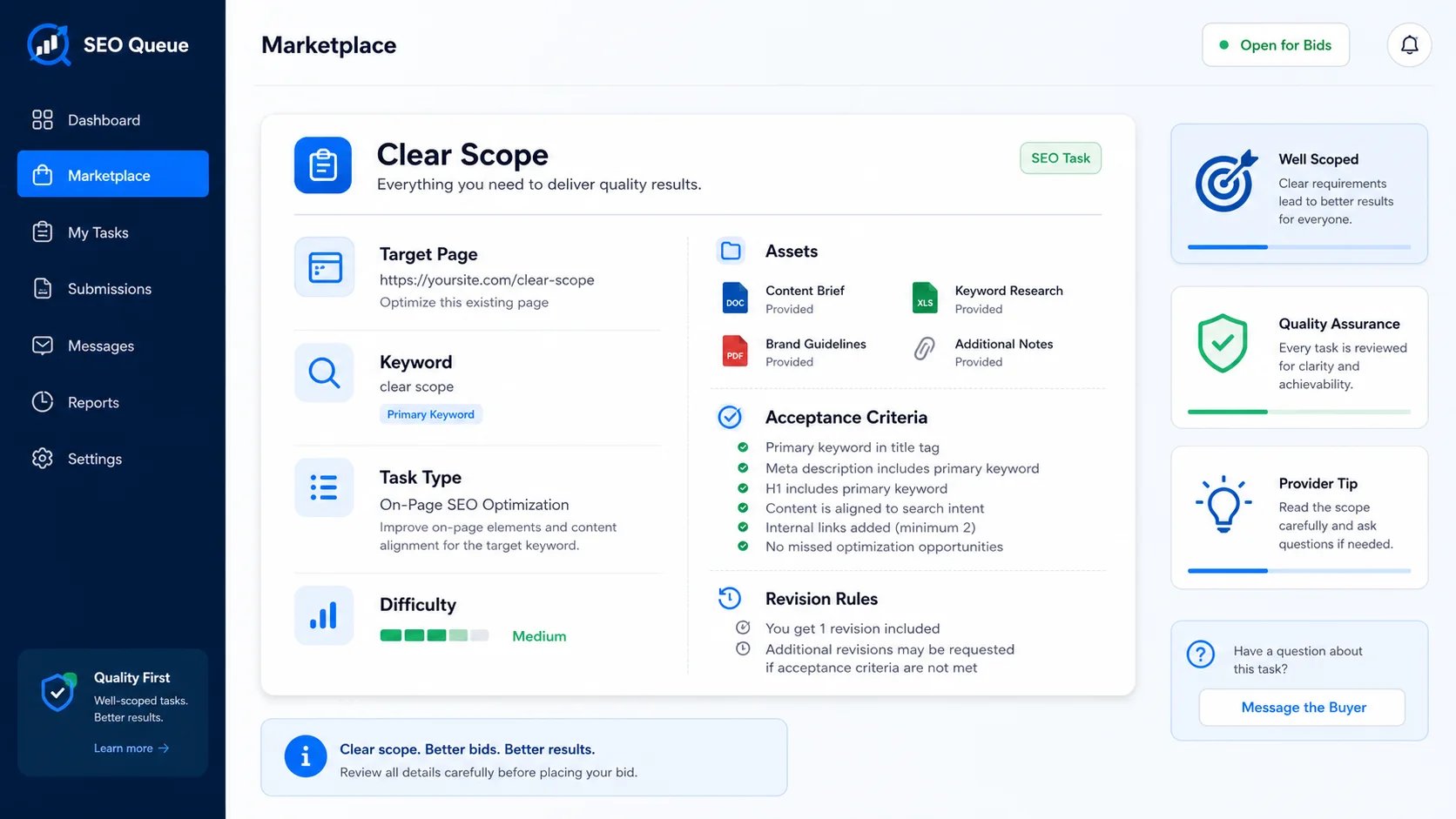
SEO Queue Marketplace task packet showing target page, keyword, assets, difficulty, and acceptance criteria before bidding.

The goal is not more vague leads. It is scoped work with enough context to price, schedule, and deliver.

Unclear SEO requests Tasks are tied to a keyword, page, service, location, or proof gap before providers see them.
No way to estimate effort Providers can review required assets, expected deliverables, difficulty, and acceptance criteria before bidding.
Lead capture before discovery work The marketplace focuses upstream on visibility, trust, content, and page work before CRM or follow-up tools.
Revision friction The task thread, client payment, completion state, and review window keep delivery moving in one workflow.

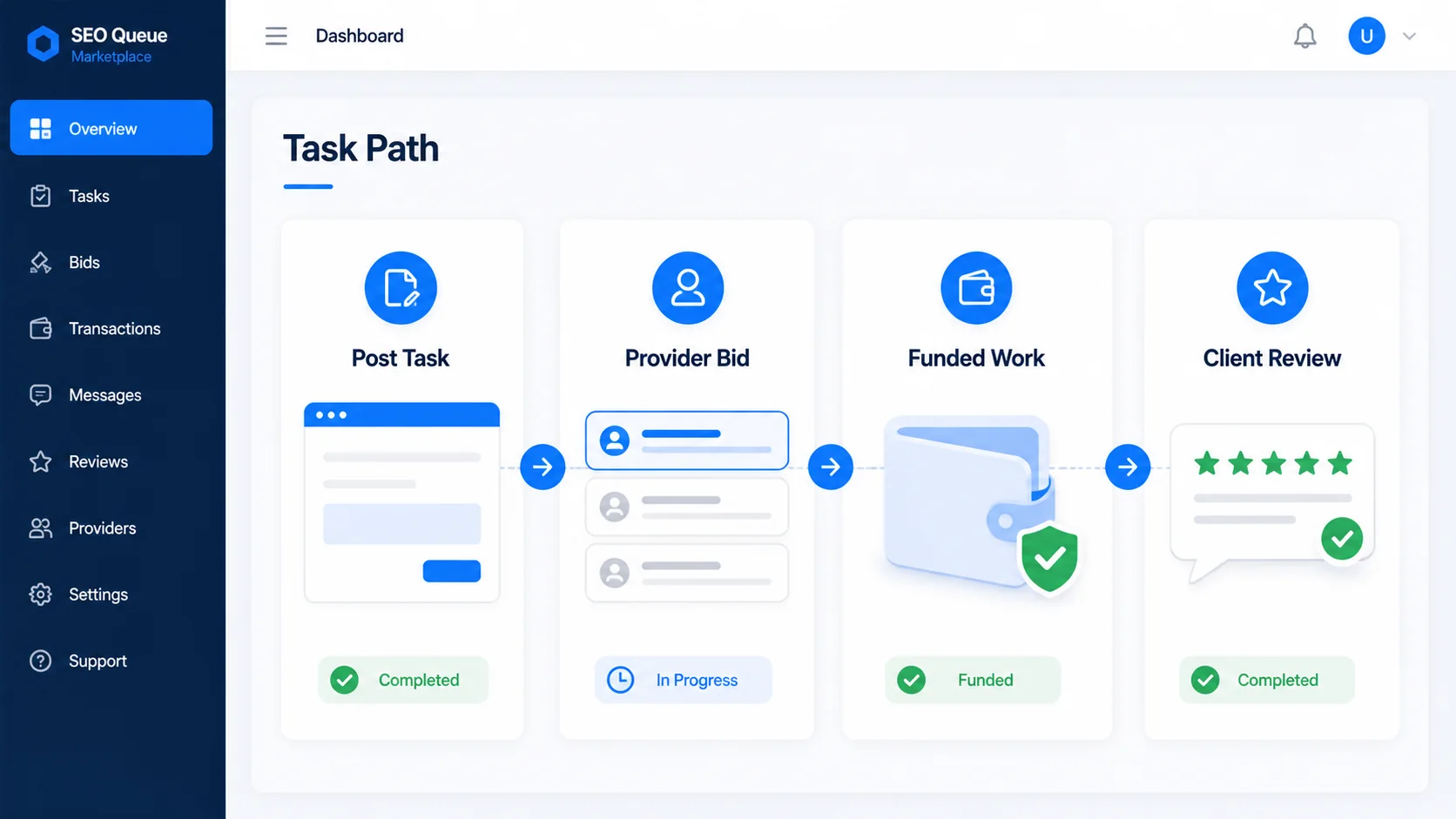
A task path providers can trust

SEO Queue Marketplace task path showing post task, provider bid, funded work, and client review steps.
Client posts the task The business or admin opens an eligible SEO Queue task for provider bids.
Providers bid with scope Bid price, timeline, deliverables, and required client inputs are submitted before assignment.
Client accepts and pays Accepted bids create an invoice so the work is funded before the provider starts.
Work is reviewed Completed work moves through client acceptance, revision request, or closeout.

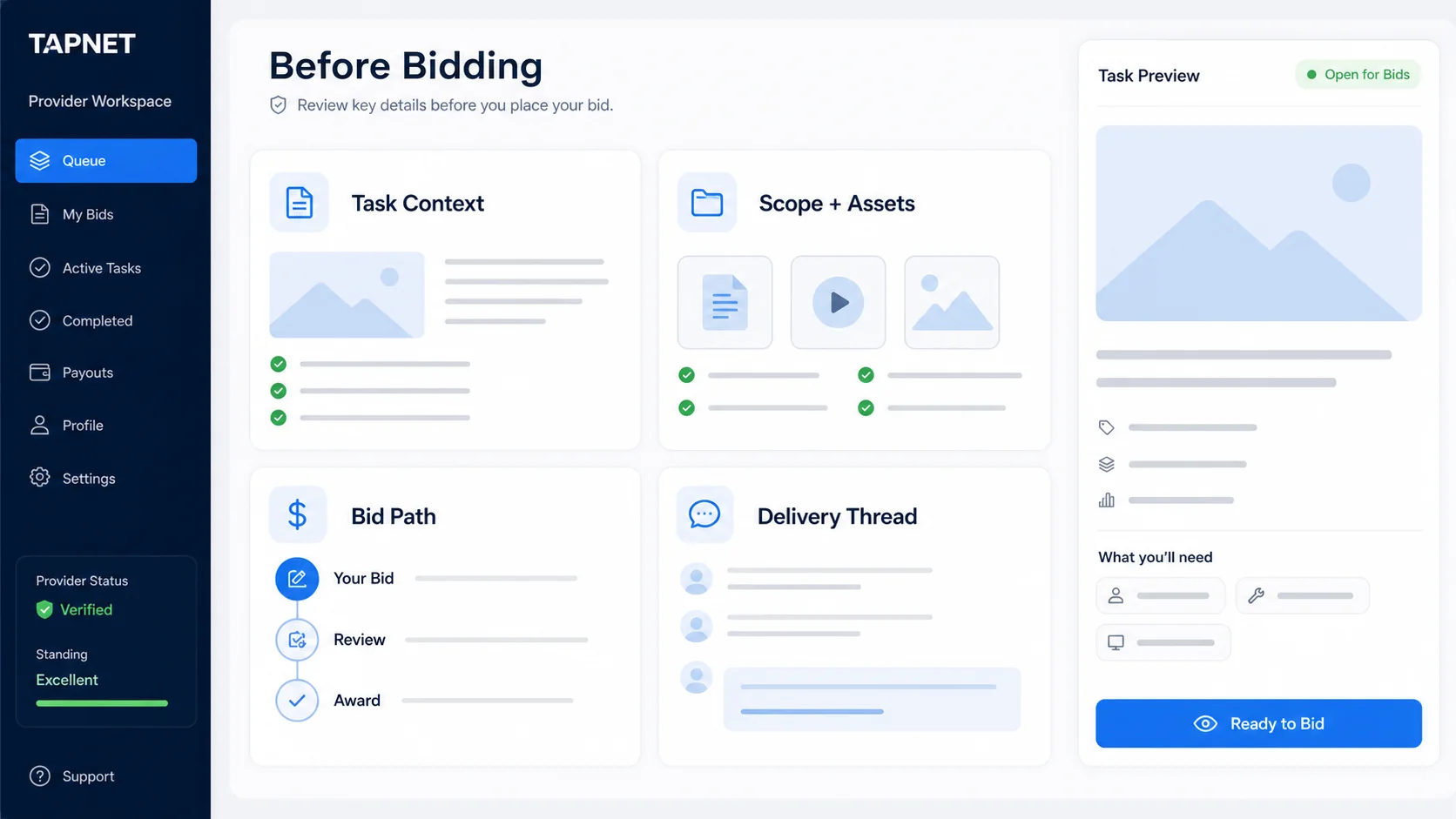
What a provider sees before bidding

Provider workspace showing task context, scope and assets, bid path, and delivery thread before bidding.

Marketplace visibility is separated from the private client queue. Only tasks opened for bids appear to providers.

Task context Understand the title, task type, priority, source signal, target page, keyword, and the reason the task exists.
  • Target URL or planned page
  • Keyword or buyer intent
  • Source signal and priority
Scope and assets Review what the client needs delivered and what inputs are needed before the work can be completed.
  • Required assets
  • Acceptance criteria
  • Delivery estimate
Bid and payment path Submit a bid, wait for client acceptance, and begin only after the accepted bid has an invoice path.
  • Bid amount
  • Invoice creation
  • Assigned work after payment
Delivery thread Use task messages and the completion workflow to move the job through client review and payout readiness.
  • Provider messages
  • Submit for review
  • Accepted or revised
Path 1

Scoped Work, Not Vague Leads

Providers see the page, keyword, purpose, priority, and expected output before choosing whether to bid.

  • Service and local page work
  • FAQ, schema, metadata, and content depth
  • Proof, citations, and trust assets
Path 2

Bid With The Details

Each task packet helps providers estimate time, price the work, and avoid unclear revision cycles.

  • Required assets
  • Delivery estimate
  • Acceptance criteria
Path 3

Client Hires From Bids

Clients request bids, compare scope, choose a provider, and move accepted work into a funded delivery path.

  • Price and timeline
  • Deliverables and assumptions
  • Client review after completion
Path 4

Provider Access Grows With The Marketplace

Free provider access starts with limited task visibility. Premium features can expand bidding capacity, alerts, saved filters, and profile placement as demand grows.

  • Free provider registration
  • Premium visibility options later
  • Profiles, specialties, and service areas

Provider opportunity signals
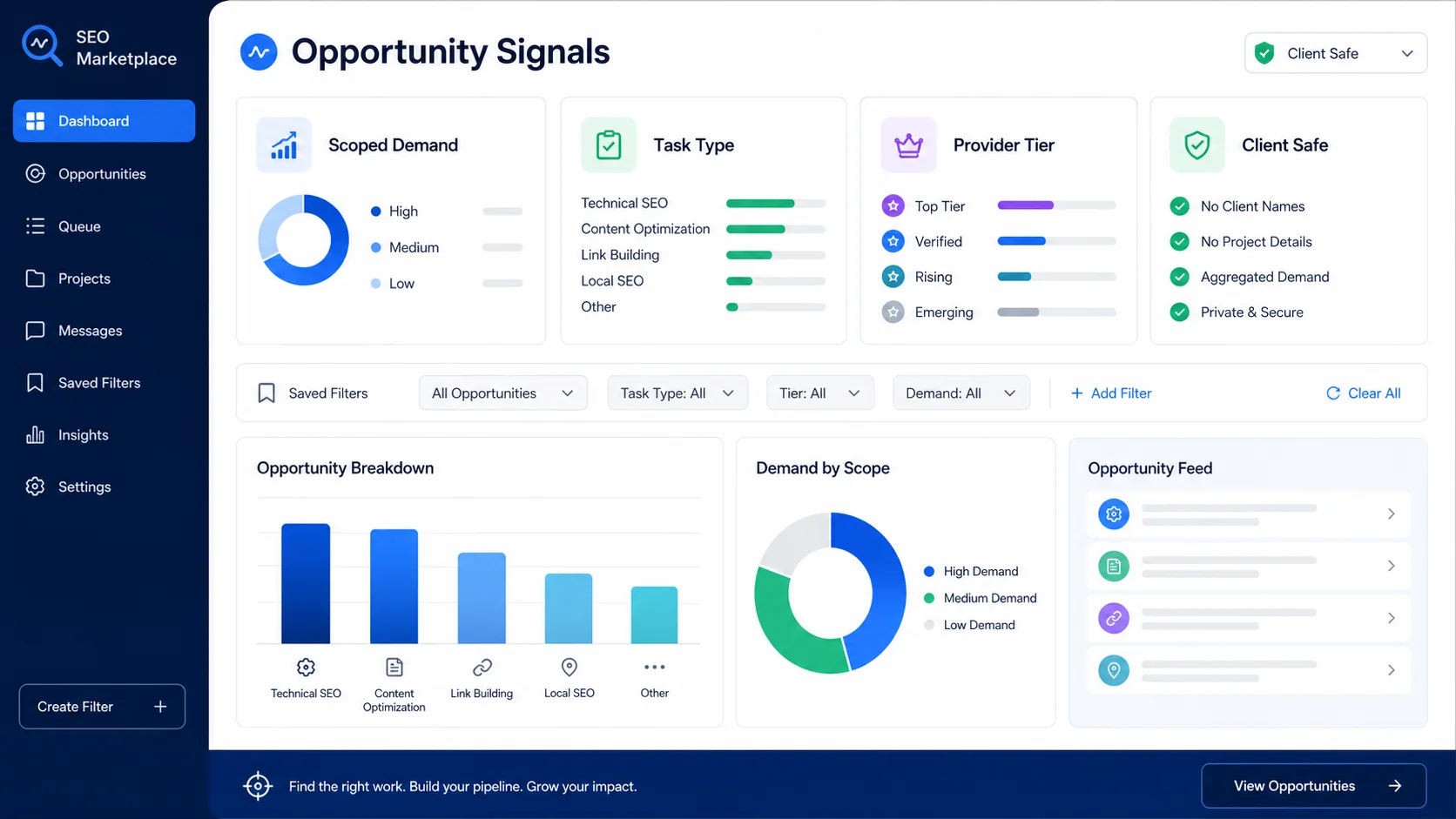
SEO Queue Marketplace opportunity signals dashboard showing scoped demand, task type, provider tier, saved filters, and client-safe controls.
Scoped demand Tasks come from client queues, not generic SEO wish lists or cold outreach forms.
Clear task type Work can be grouped by service pages, local SEO, schema, FAQs, metadata, proof assets, and citations.
Provider tiers Free provider access can limit visible tasks while premium provider features expand marketplace reach later.
Client-safe workflow Private client queue visibility and public provider bidding visibility are separate from the start.

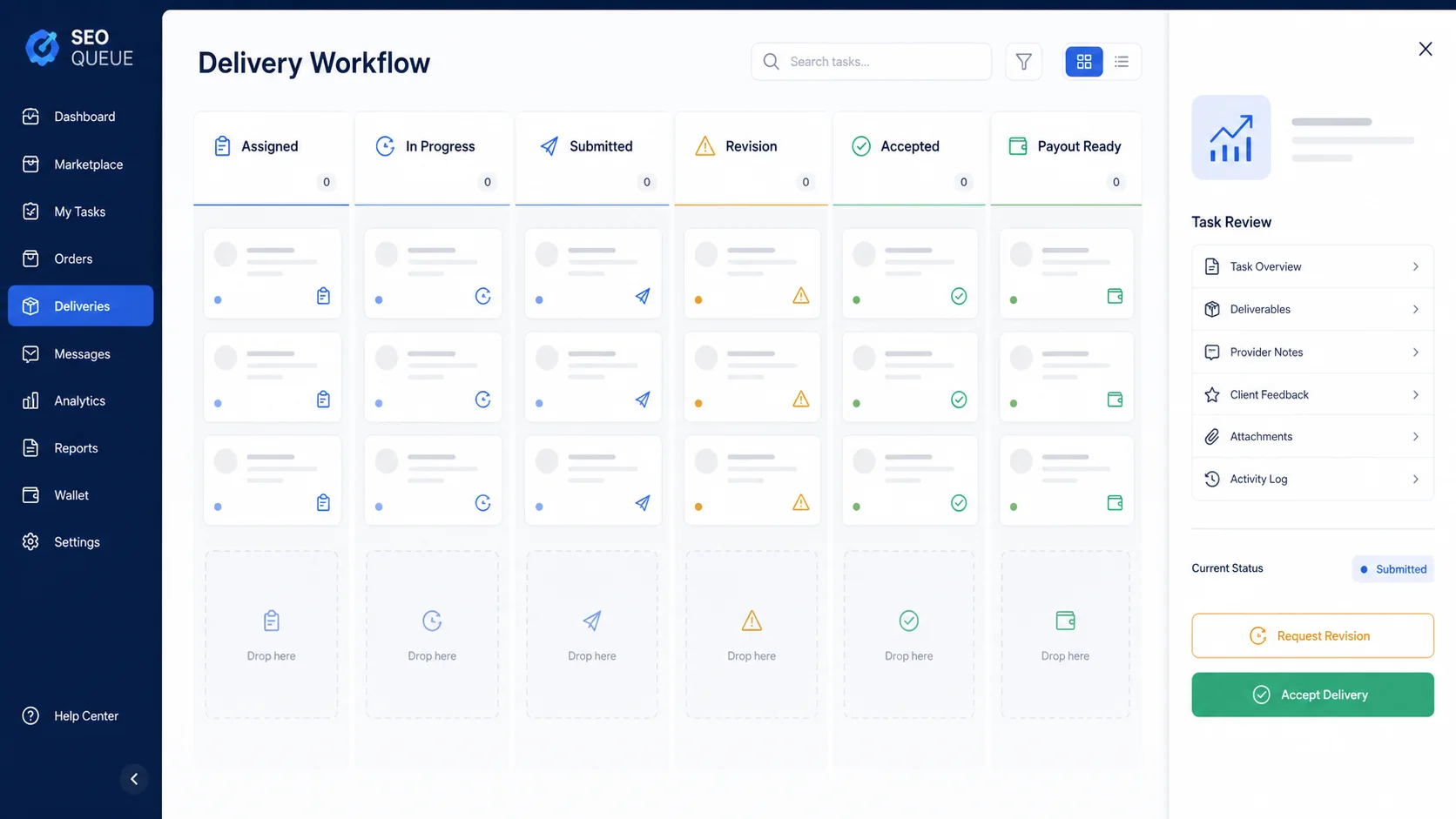
End-to-end marketplace workflow

SEO Queue Marketplace delivery workflow showing assigned, in progress, submitted, revision, accepted, and payout ready stages.
1 Analyze business data AI Visibility, SEO Hub, Lead Widget details, and site evidence identify missing traffic, proof, local, or page signals.
2 Create recommendation SEO Hub turns the finding into a prioritized recommendation tied to a keyword, page, service, or location.
3 Client requests bids The business owner or site admin opens the useful task for provider bidding when outside execution help is needed.
4 Provider bids Registered providers review scope, required assets, effort, acceptance criteria, and deliverables before submitting a bid.
5 Client hires Accepted bids create a payment path before the task is assigned to the selected provider.
6 Work is delivered The provider completes the scoped SEO work, sends it for review, and handles revision requests if needed.
7 Client reviews Completed work moves into final acceptance before the task is closed and provider earnings are handled.

Join SEO Queue Marketplace

Create a provider account and prepare for scoped SEO tasks from TAPNET clients.

Join SEO Marketplace