
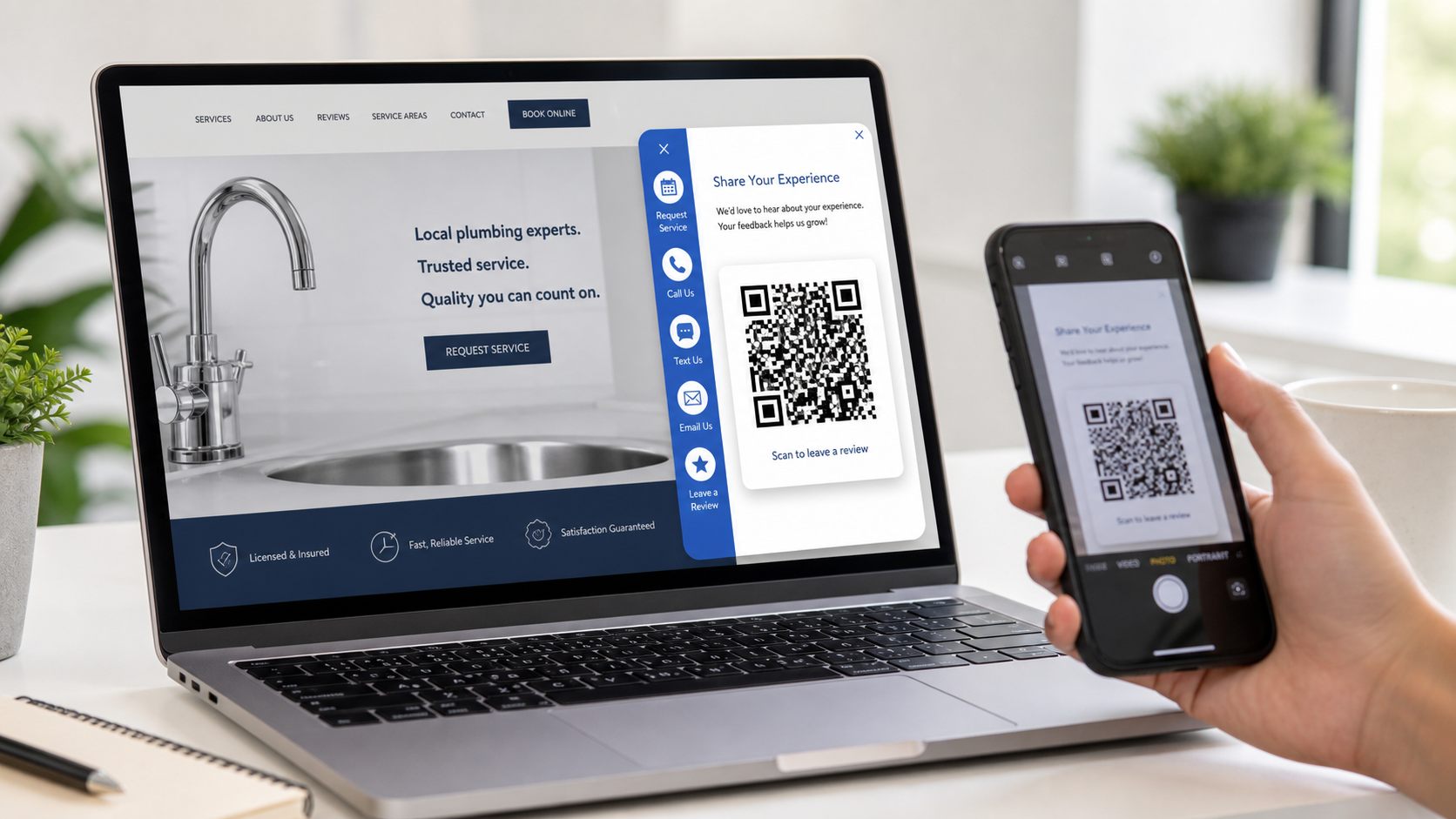
Free
Review QR
Review link and QR popup for reputation building.
TAPNET Lead Widget
TAPNET Lead Widget gives visitors a compact side-out tool for reviews and callback requests. Premium adds service areas, offers, FAQs, booking, quote requests, photos, and optional phone and email verification through the AI Hub lead workflow.
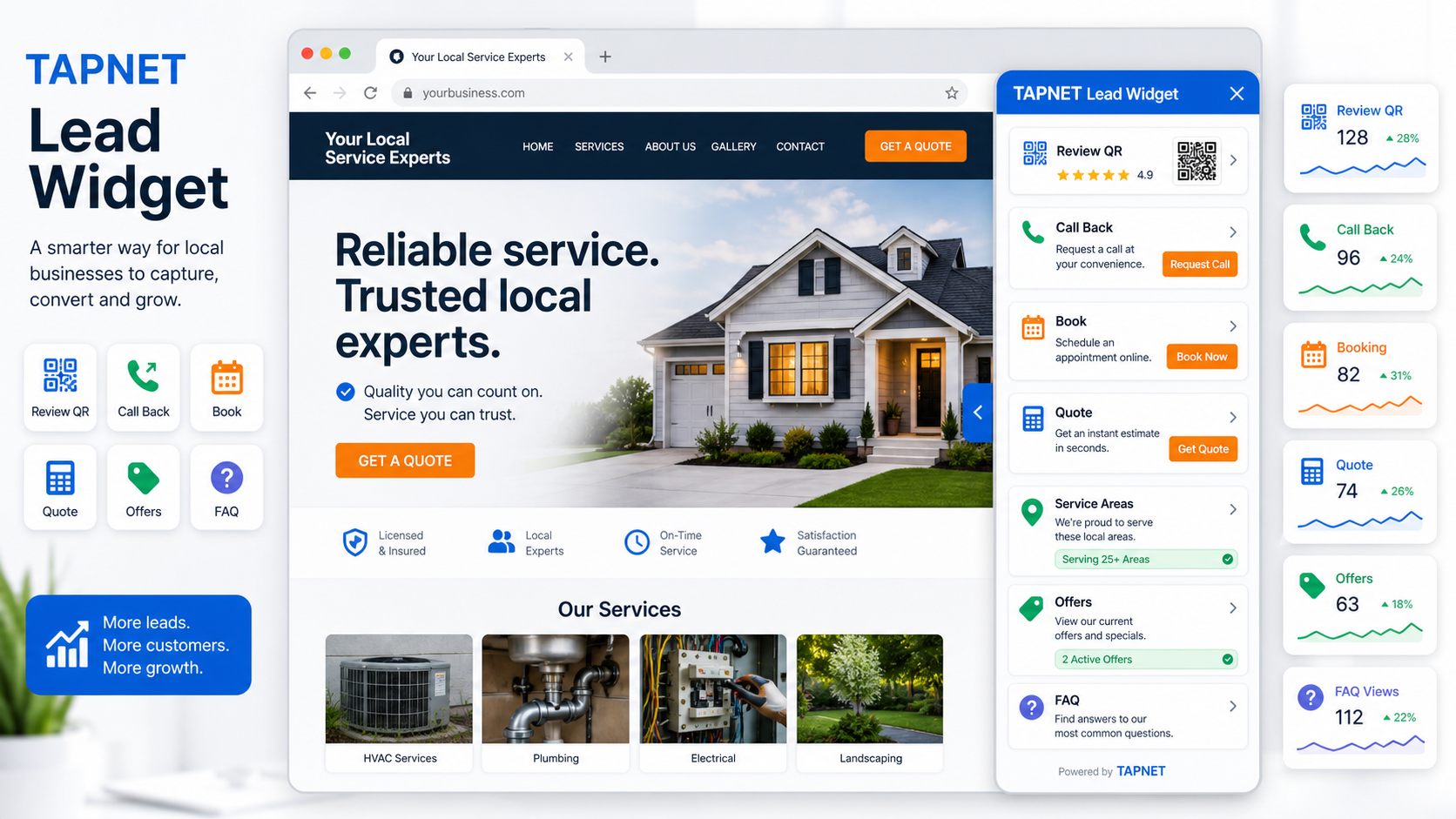
Included Modules
Review link and QR popup for reputation building.
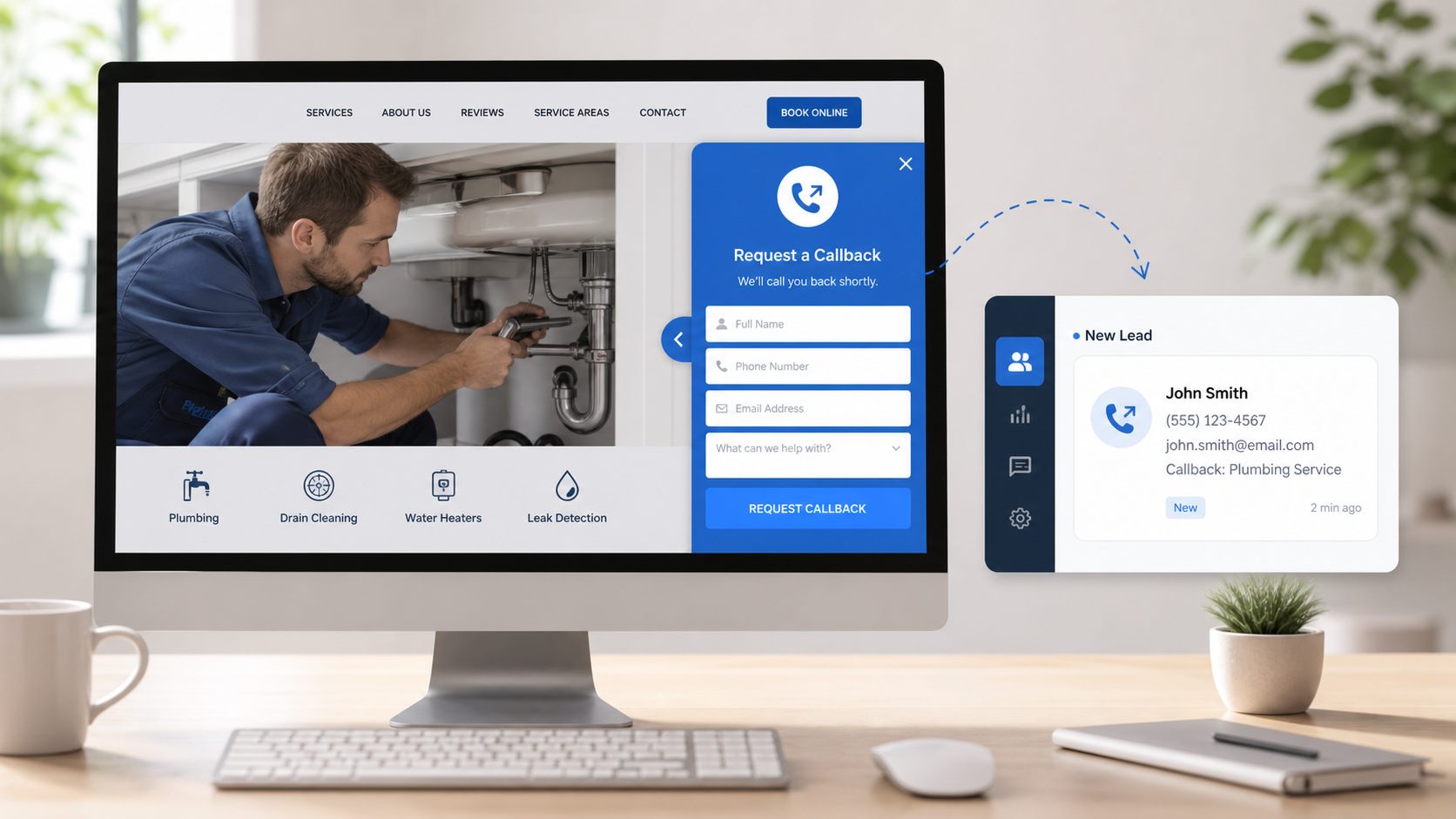
Capture name, phone or email, preferred time, and page context.
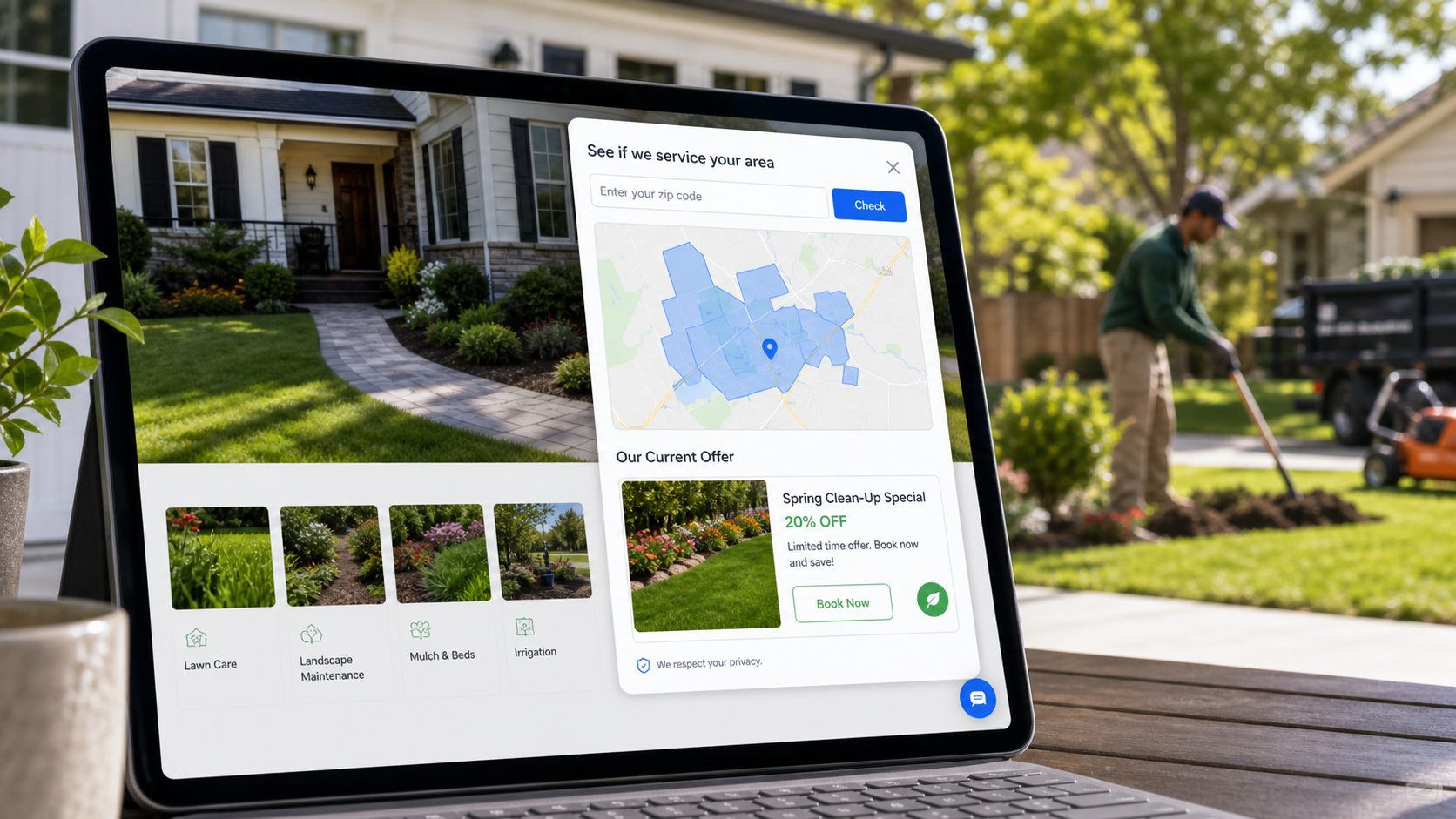
Show visitors exactly where the business works.
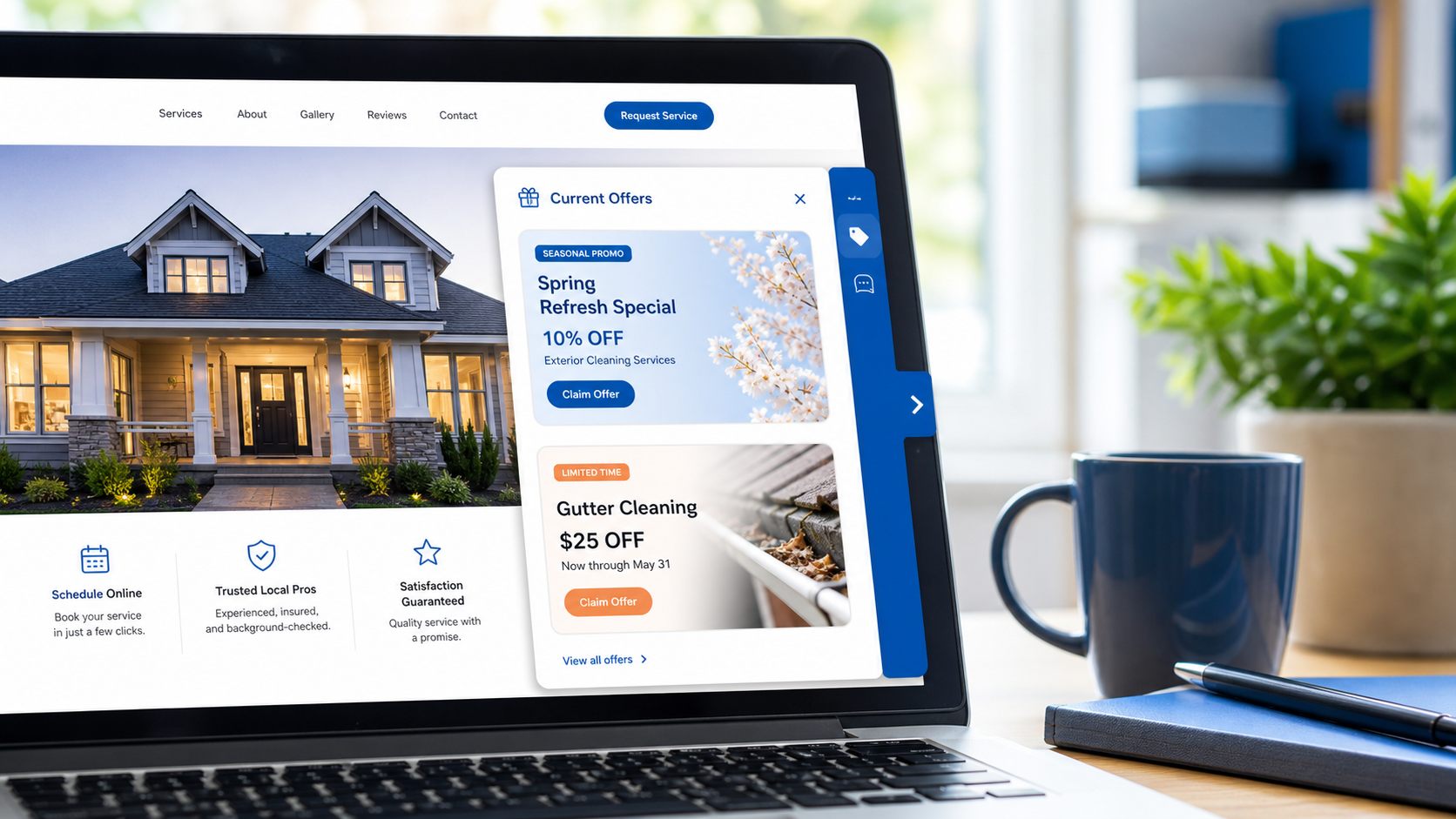
Give visitors timely reasons to act and answers that reduce hesitation.
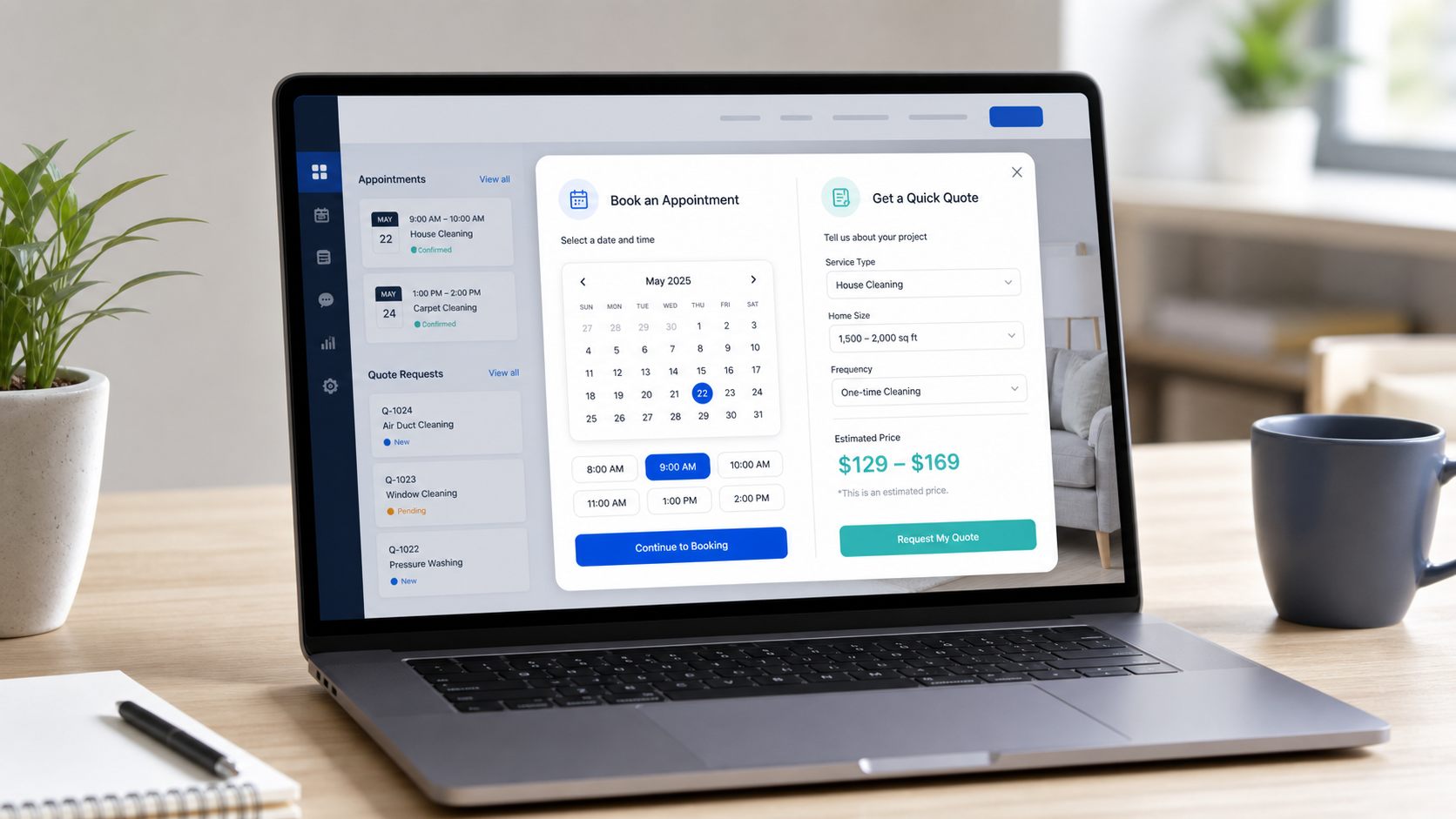
Send high-intent visitors to a booking URL or appointment request path.
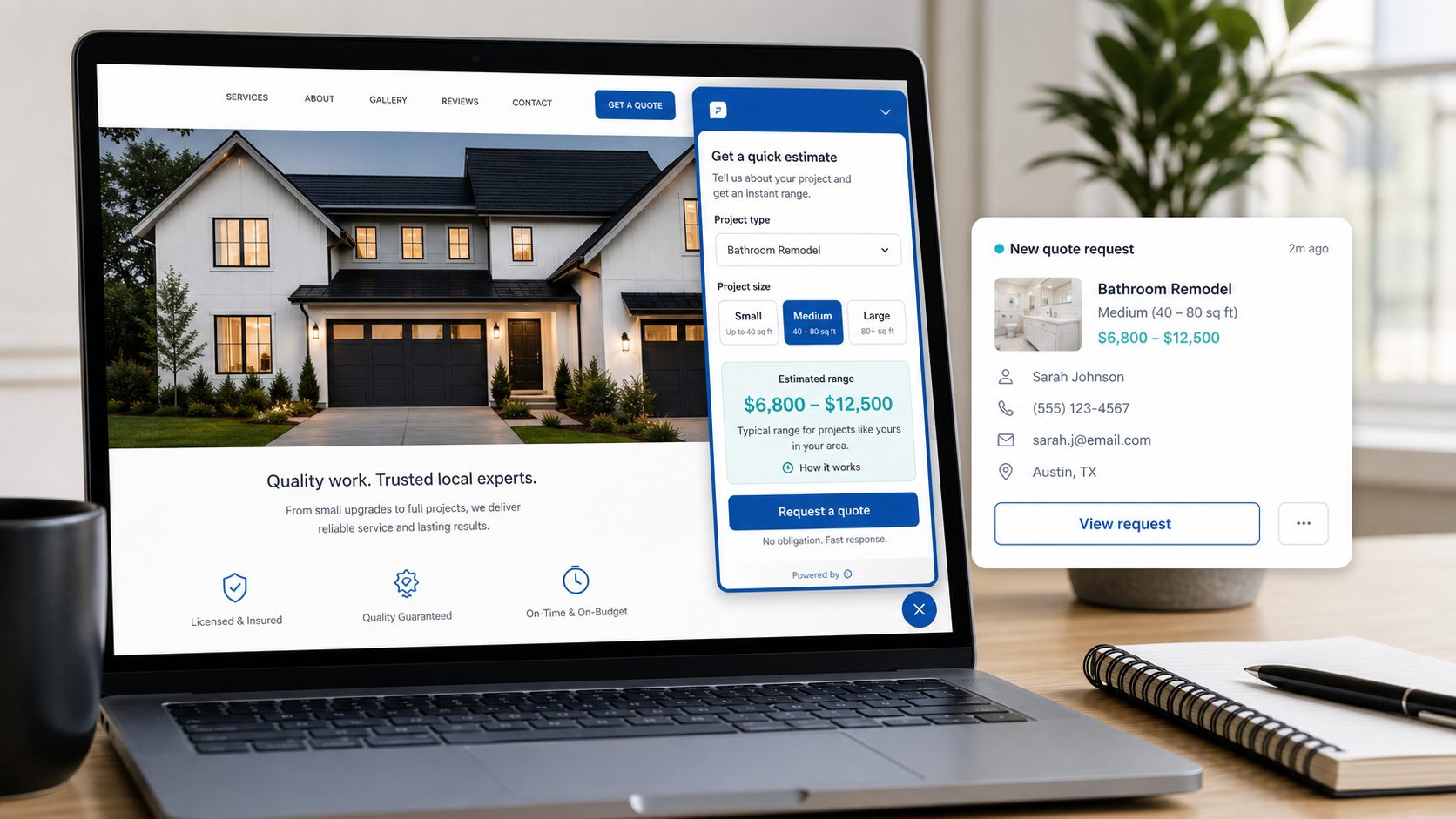
Pair quick quote requests with visual proof from the business.
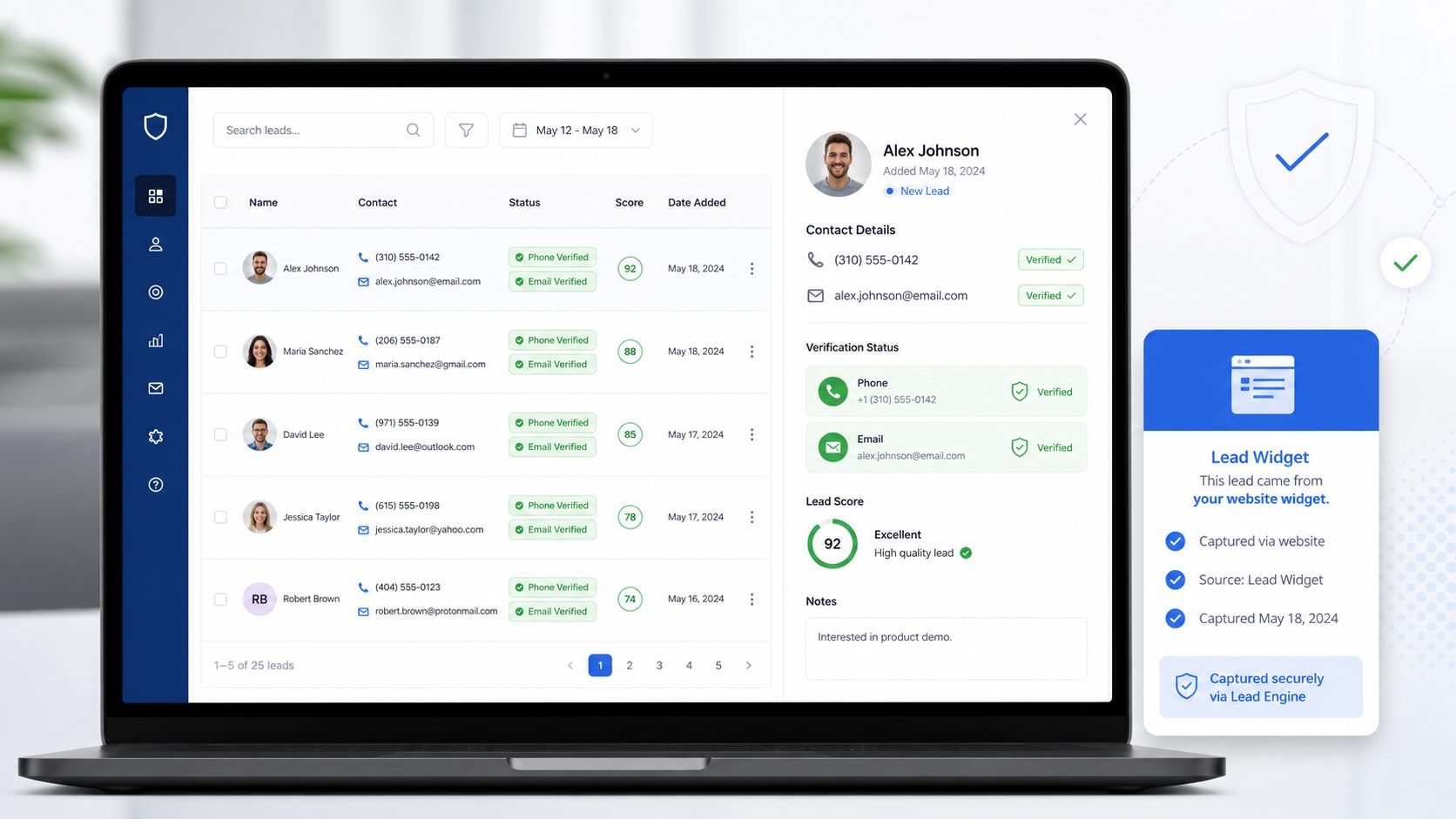
Reuse AI Hub lead-workflow verification to check submitted contact details before follow-up.
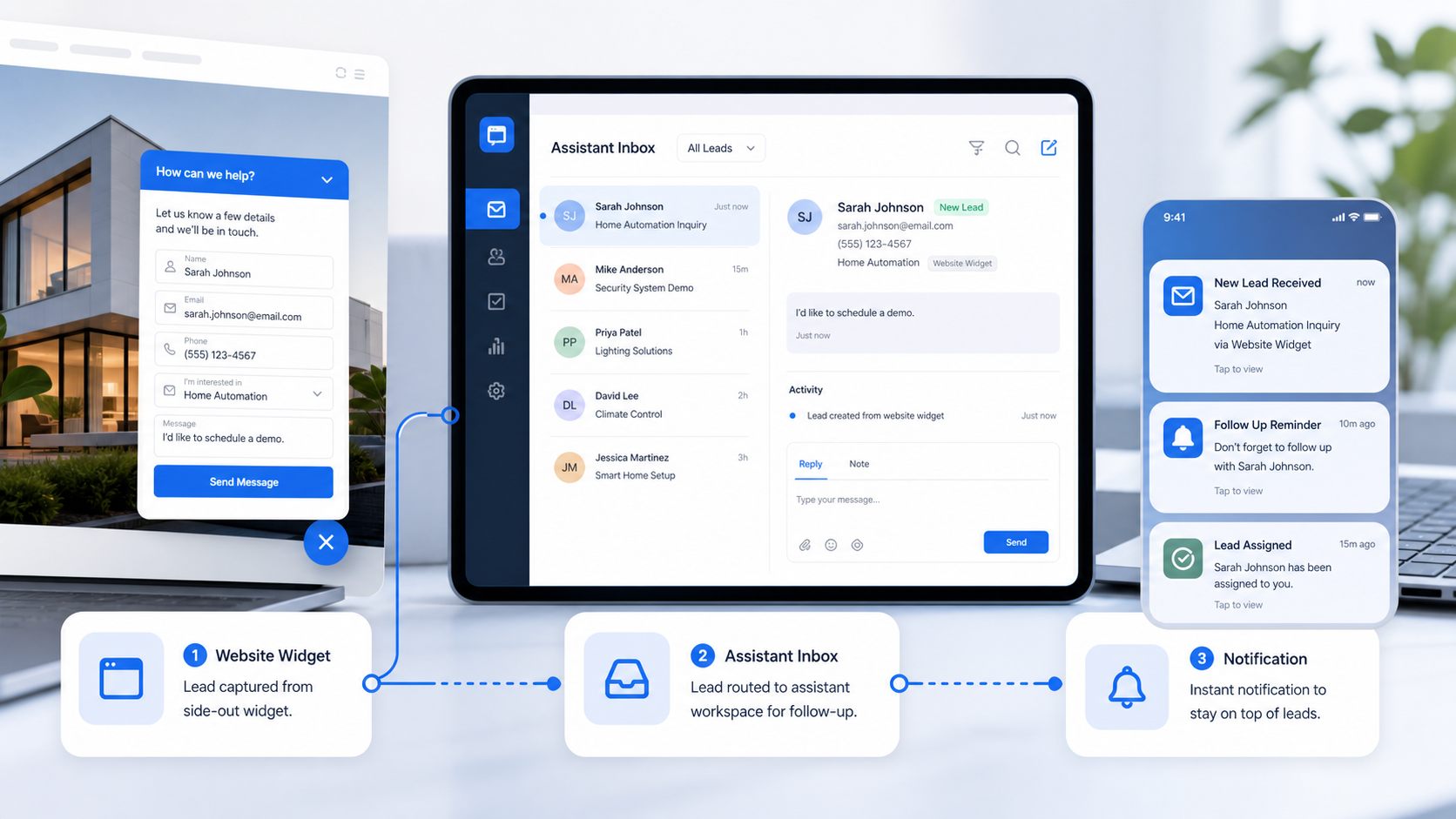
Route higher-intent Lead Widget captures into Assistant follow-up workflows when subscribed.
Free vs Premium
Review QR, call back leads, dashboard lead list, email fallback notifications, and AI Hub mirror copies when the lead workflow is available.
Service areas, offers, FAQs, booking links, appointment requests, quote calculator, photo galleries, Assistant app routing, and phone/email verification powered by AI Hub lead workflows.
Lead Widget captures are stored first in the widget dashboard. AI Hub lead workflows can receive non-metered mirror records, while Assistant handling only turns on for subscribed clients.
How It Works
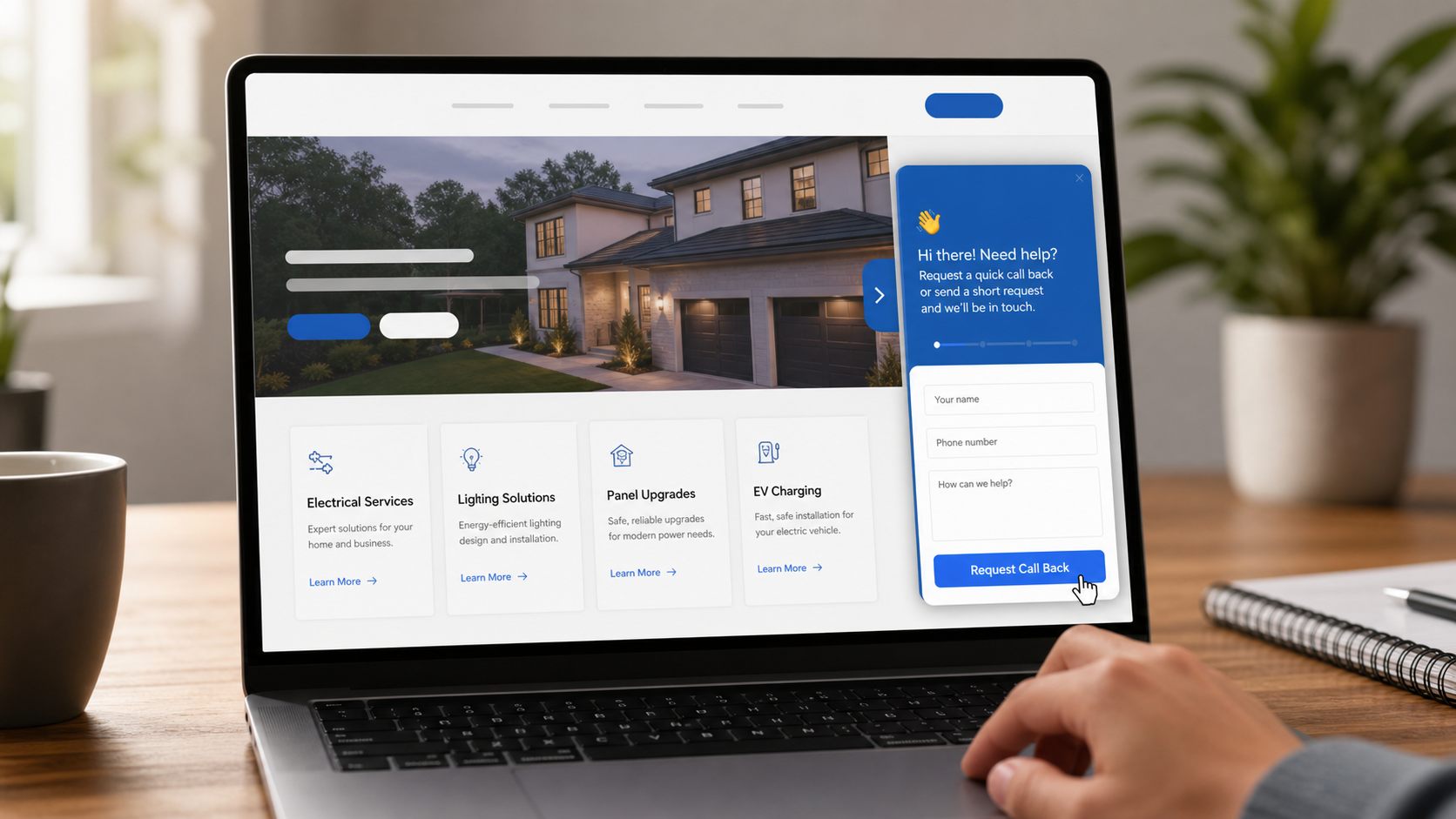
A visitor decides they are ready to act. The widget gives them a short path to request help without leaving the page or hunting through the website.
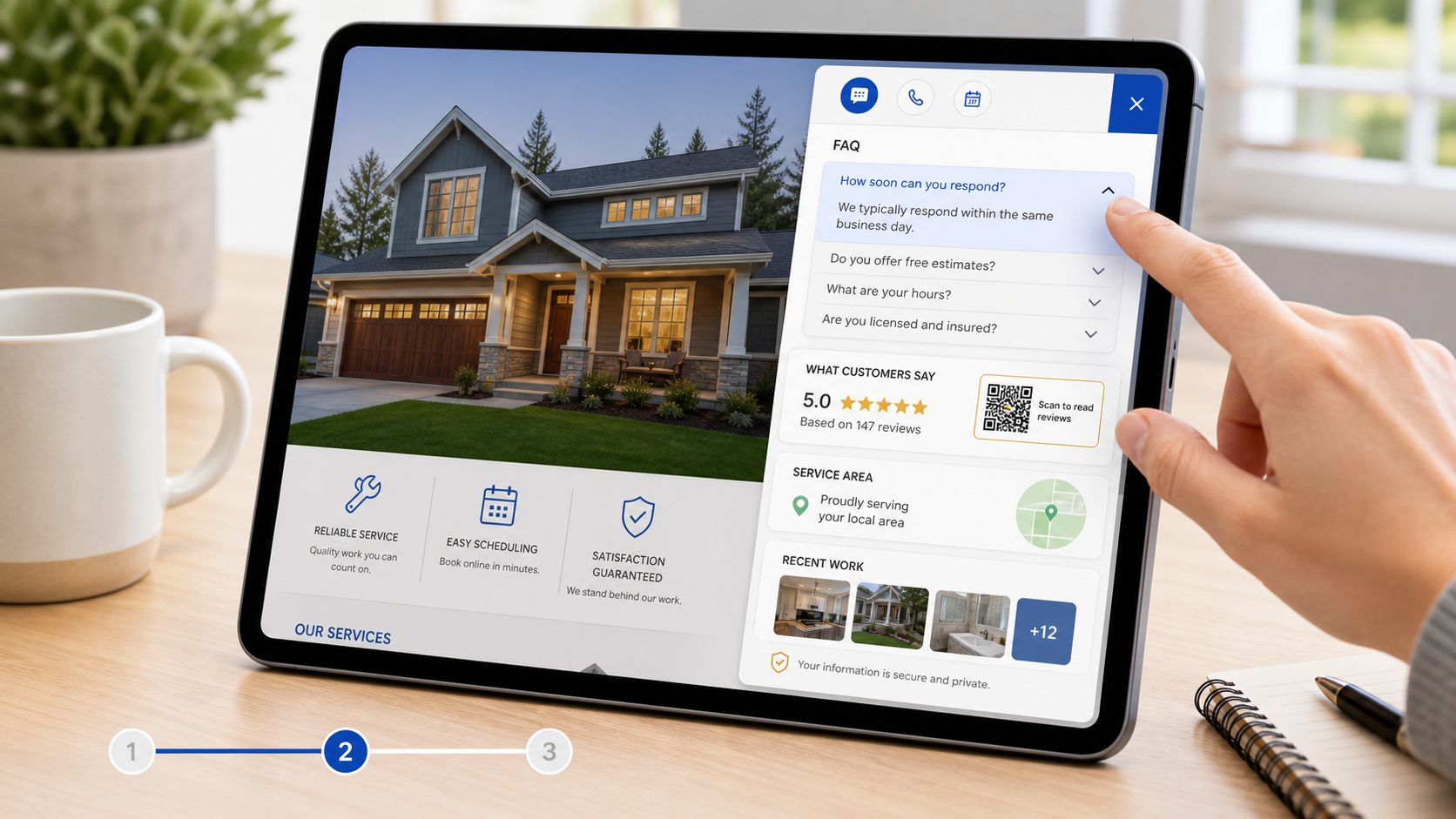
Answers, proof, offers, and local context help visitors decide faster, so the next click feels natural instead of forced.
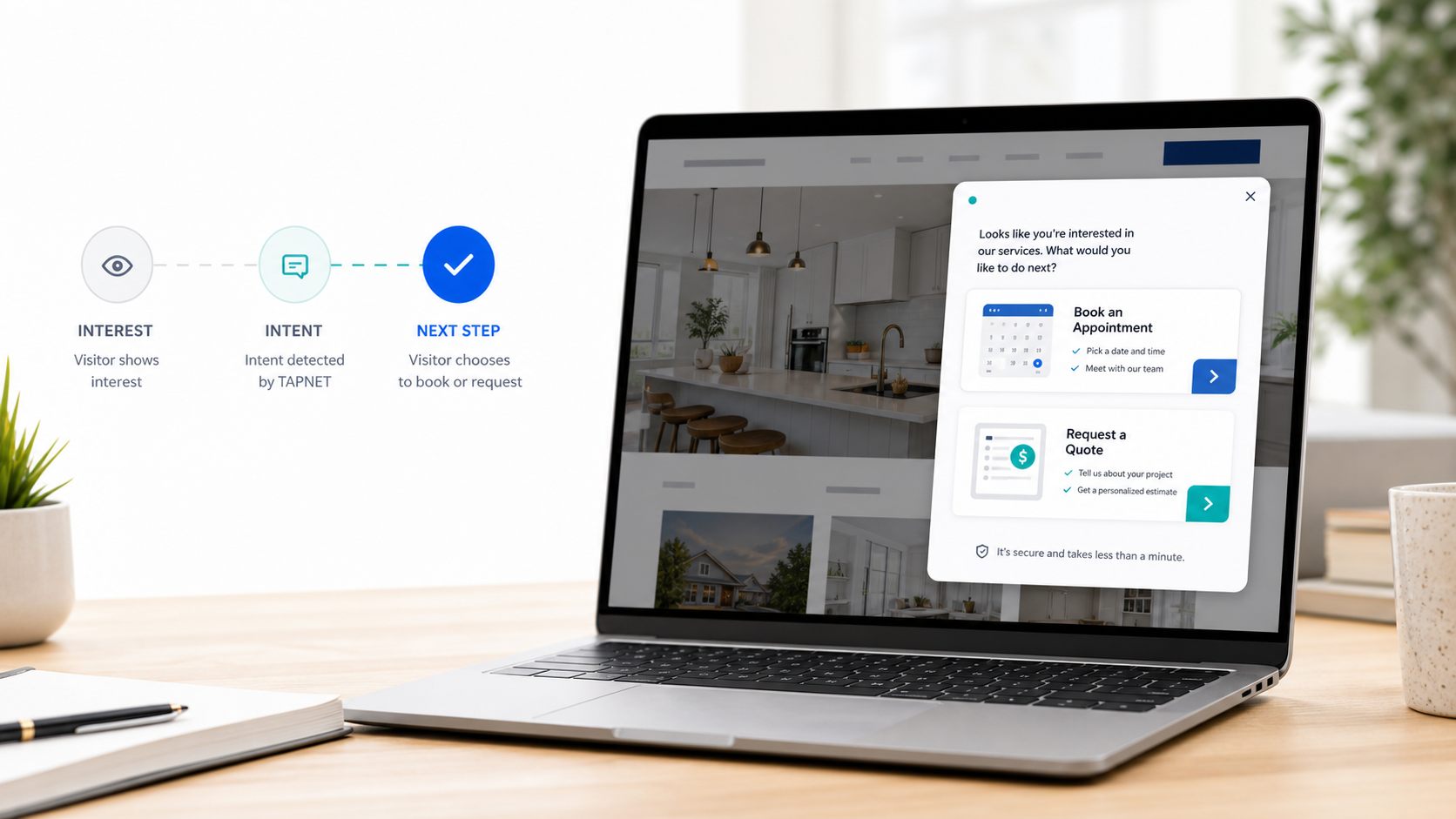
When the visitor is ready for an appointment or estimate, premium booking and quote paths turn interest into a clearer follow-up request.
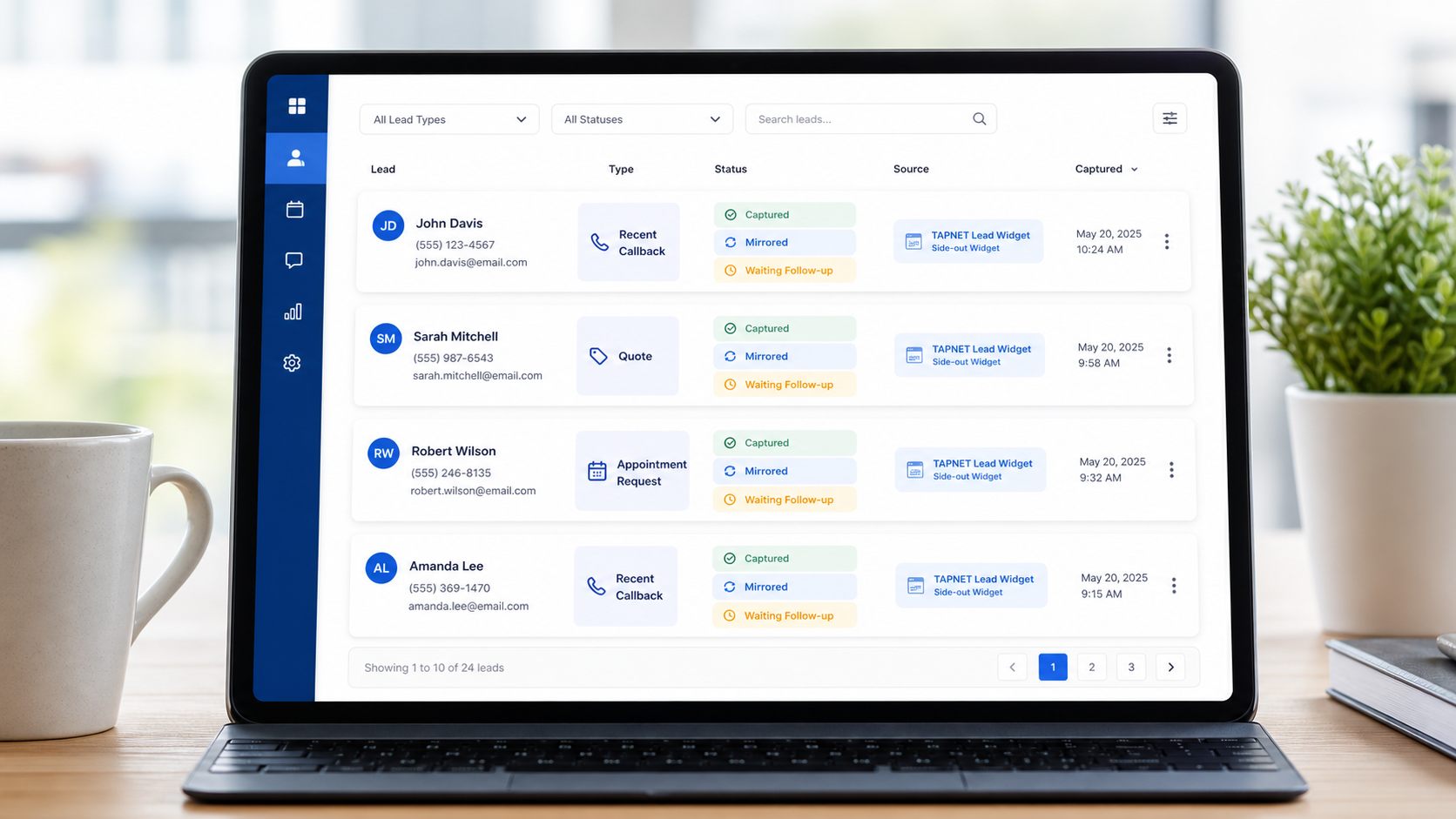
Lead Widget stores new requests in the client dashboard first, then can mirror a non-metered record into AI Hub lead workflows when available.
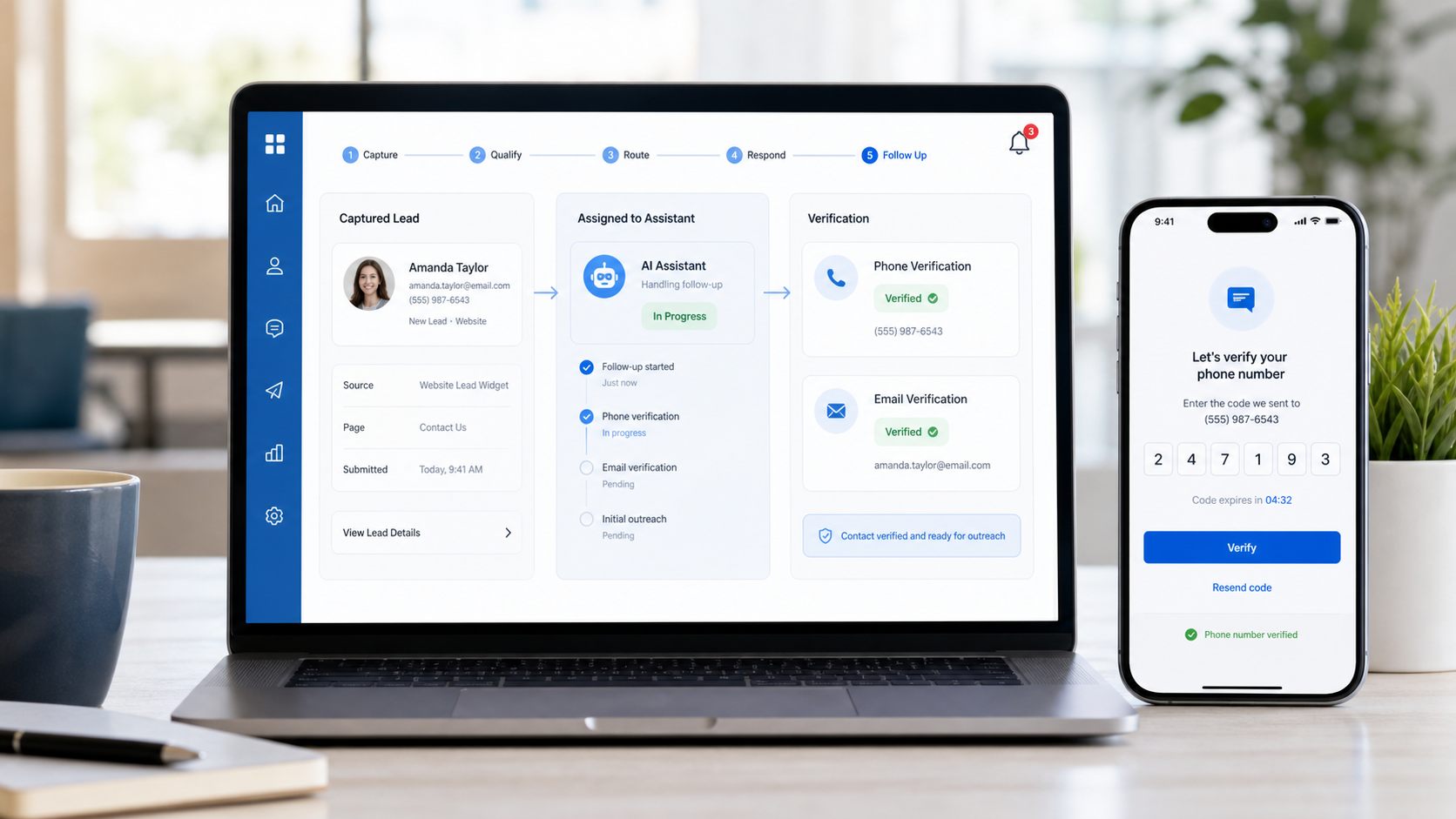
Subscribed clients can route higher-intent requests into Assistant handling and reuse AI Hub phone/email verification before follow-up.
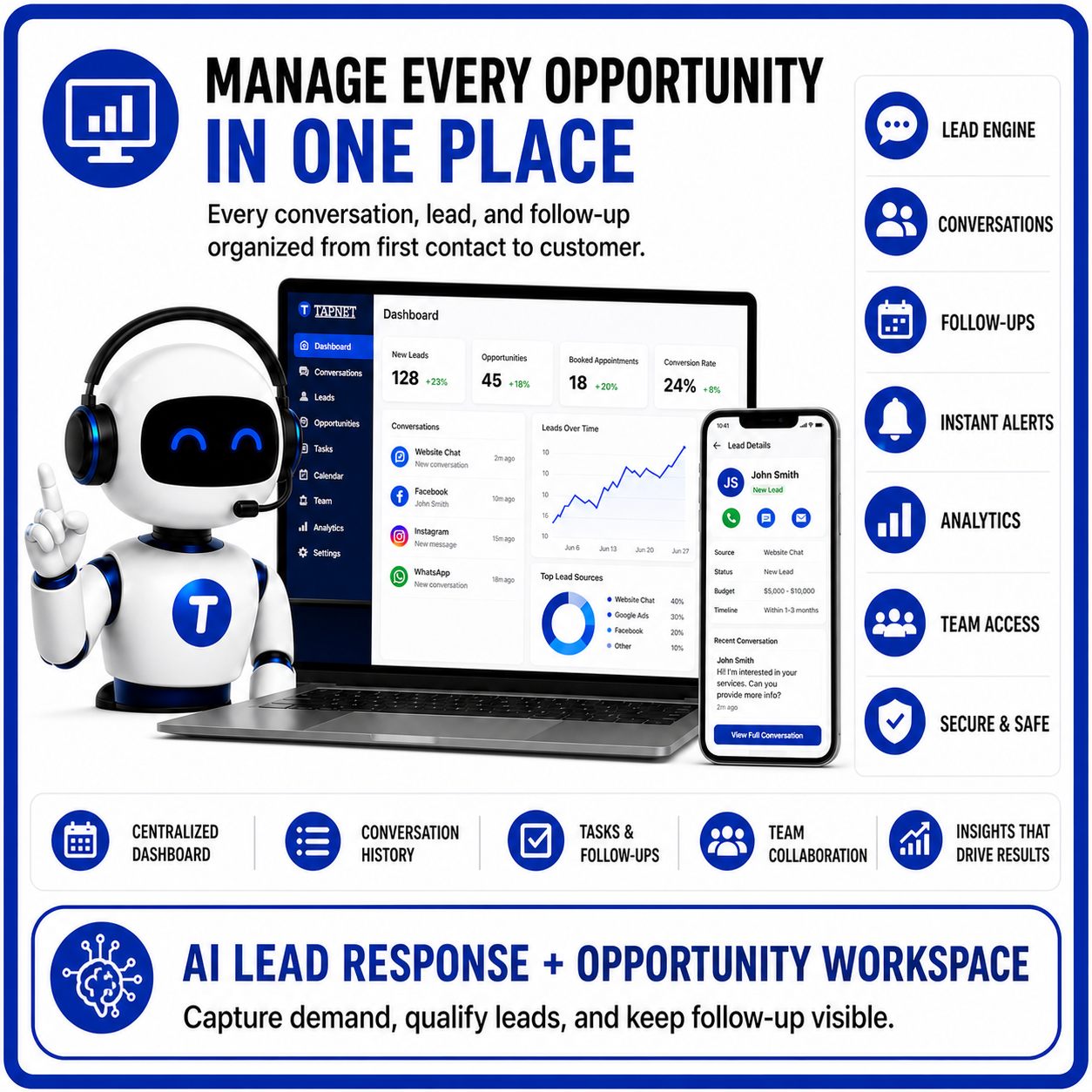
Lead Handling
Every callback, appointment, and quote request is captured as a Lead Widget lead first. AI Hub lead workflows can receive a non-metered mirror copy for unified records. Clients with Assistant routing can unlock app notifications, handoff-ready handling, and phone/email verification.